SCREEN STRATEGY
Keep the Line Moving
How optimizing your menu legibility speeds up dispensary checkouts and beats the holiday bottleneck.
As the holiday season kicks off, dispensaries prepare for a massive spike in foot traffic. But when your store gets packed, the real reason your lines stall usually isn’t your payment processor or your inventory system.
It’s indecision.
When a customer finally reaches the register and is still squinting at your digital screens to figure out what they want, your entire operation grinds to a halt. Every extra minute spent scanning a cluttered menu at the counter multiplies the wait time for everyone else in the store.
The Objective
To eliminate the bottleneck, you must shift the customer’s decision-making process away from the register and push it to the back of the line.
Designing for the Back of the Line
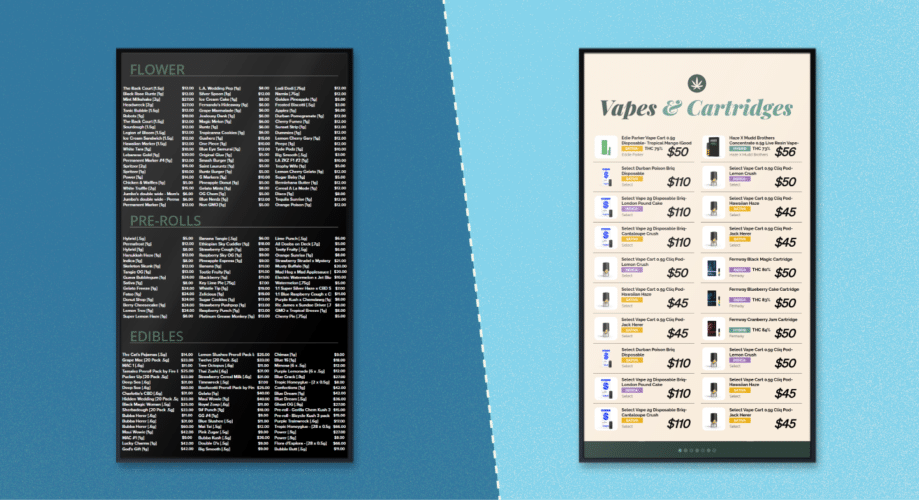
Digital signage often falls into the trap of functioning like a spreadsheet on a TV. If your screens are packed edge-to-edge with tiny text and zero breathing room, your customers physically cannot read them until they are standing two feet away.
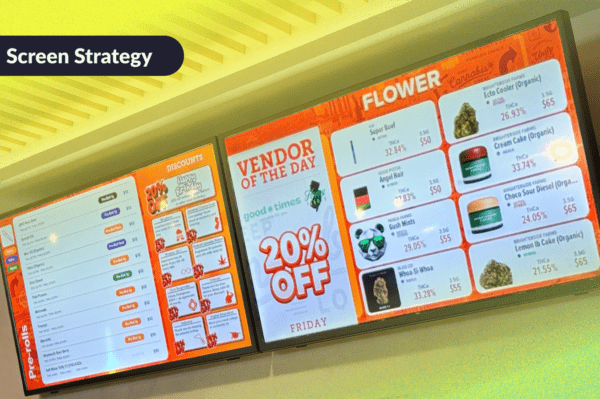
To speed up checkout times, your menu must be highly legible from the exact moment a customer steps into the queue. This requires treating your digital menus not as an exhaustive catalog, but as a strategic tool for high-speed scanning.
A cramped spreadsheet layout that stalls the queue. Right: A high-contrast, streamlined menu designed for 10-foot legibility
3 Menu Legibility Rules to Speed Up the Queue
1
The 10-Foot Contrast Rule
Contrast is the backbone of legibility. If your text and background colors are too similar, the menu becomes a blur from a distance. Stick to high-contrast combinations, like stark white text on a dark, solid background, to ensure items pop clearly from 10 to 15 feet away.
2
Aggressive Whitespace
Clutter causes cognitive fatigue. Don’t be afraid of empty space on your screens. Grouping products with generous “whitespace” (padding) around them allows the human eye to process categories in blocks, rather than forcing the brain to read line by line.
3
Curation Over Clutter
You don’t need to display your entire vault at once. During high-traffic days, it is vastly more efficient to display fewer items with a larger font size. Using your Divvy dashboard, you can easily set your screens to rotate different product categories every 10 to 15 seconds.
Fast-Track Your Seasonal Menus
Halloween is just the opening bell for the highest-volume retail stretch of the year. Between Green Wednesday, Thanksgiving, and the December holidays, your team doesn’t have time to build new screens from scratch every two weeks.
Once you establish a clean, highly legible screen framework, updating your menus for the season should be seamless.
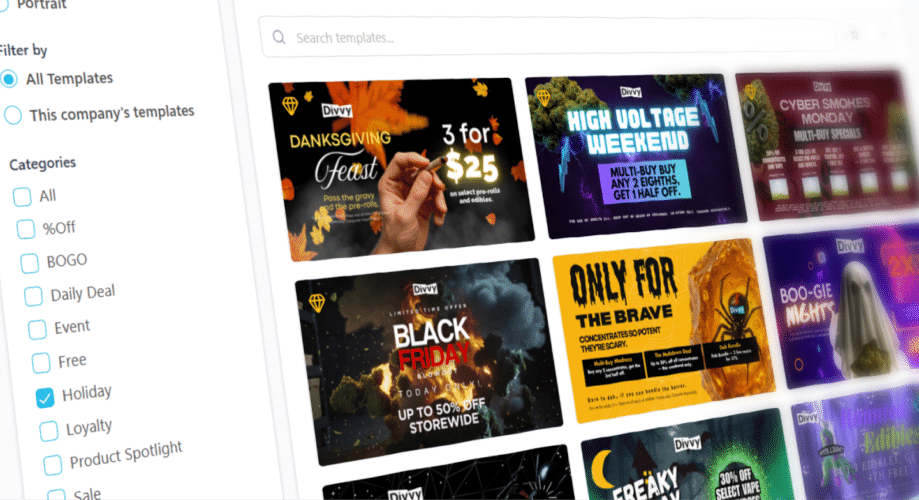
The Fast-Track Solution: Instead of manually adjusting your text and spacing for every holiday, leverage Divvy’s pre-formatted Canva layouts. You get instant visual themes for Halloween, Green Wednesday, Thanksgiving, and the entire December rush, while automatically maintaining the exact 10-foot legibility, contrast, and spacing rules your line depends on.

“The most trusted Digital Signage Partner in the Cannabis Industry”